T: Delivery Date & Time Slot
Thank you so much for purchasing our T: Delivery Date & Time Slot App. This documentation will guide you through the setup and configuration process.
App Features & Pricing
- Pricing: $1.00 USD billed every month with a 3-day free trial.
- Our app empowers customers to easily select their preferred delivery date and time slot with seamless efficiency.
- By utilizing this app, administrators gain insights into order preparation, allowing them to optimize delivery schedules and identify the most efficient times for order fulfillment, ultimately saving valuable time.
- Through the app's administrative features, administrators can effortlessly create and manage unlimited time slots on a day-to-day basis, ensuring seamless control and flexibility.
- Utilizing this app, admin can collect date and time preferences for various purposes, offering a flexible solution for a multitude of user needs.
- With our app, administrators can effortlessly prepare orders according to customer-preferred dates and times, streamlining the process for efficient order management.
- In our app, administrators have the flexibility to enable or disable delivery date and time slots, and they can customize slot not available error message from app admin.
Installation
Follow these steps to activate the app on your Shopify store:
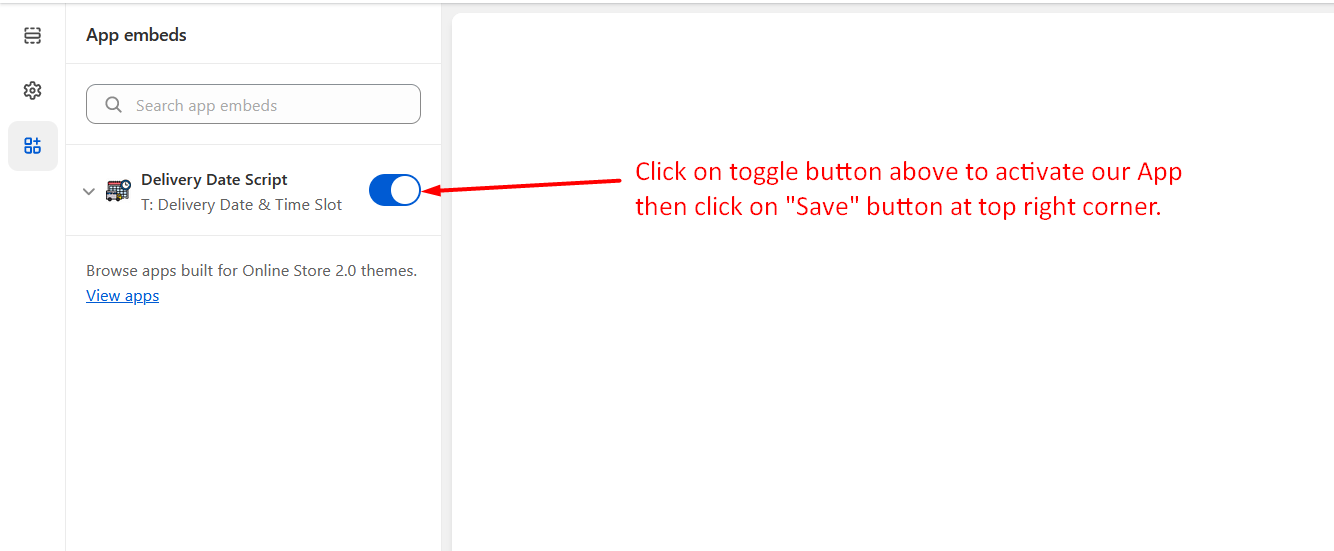
- Go to Online Stores >> Current theme >> Theme Customize section.
- Enable App embed(s) i.e. "Delivery Date Script".
- Click on the "Save" button at top right corner!
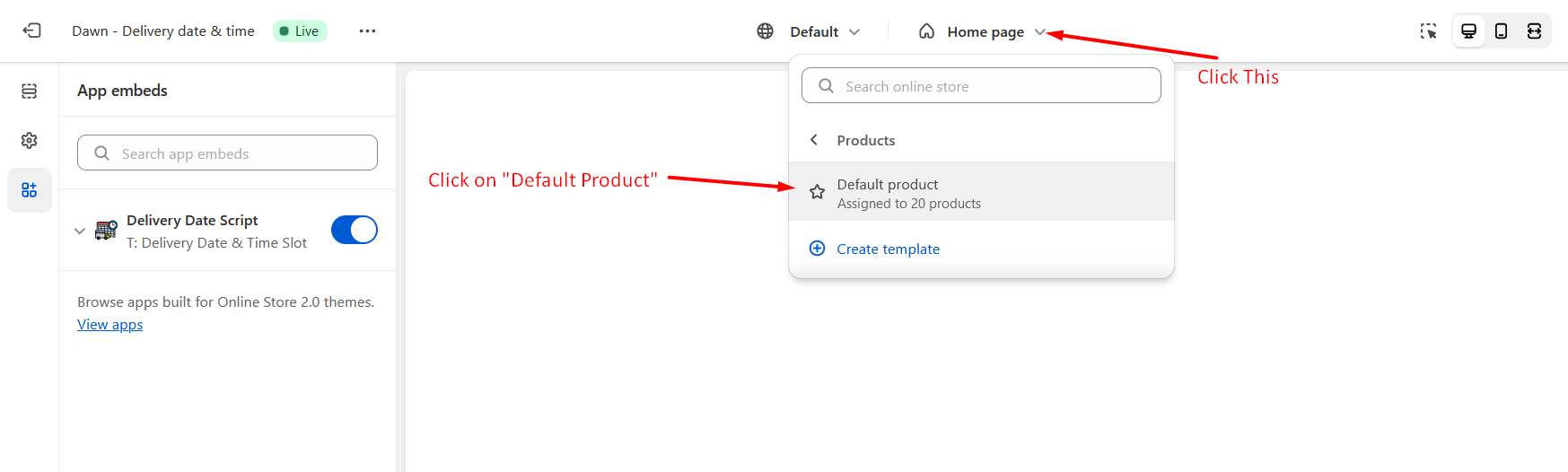
- Then go to product page of your theme from theme customizer section.
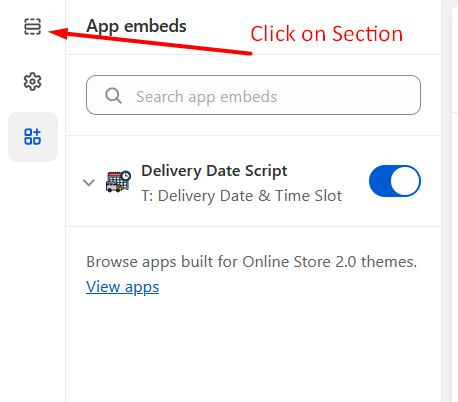
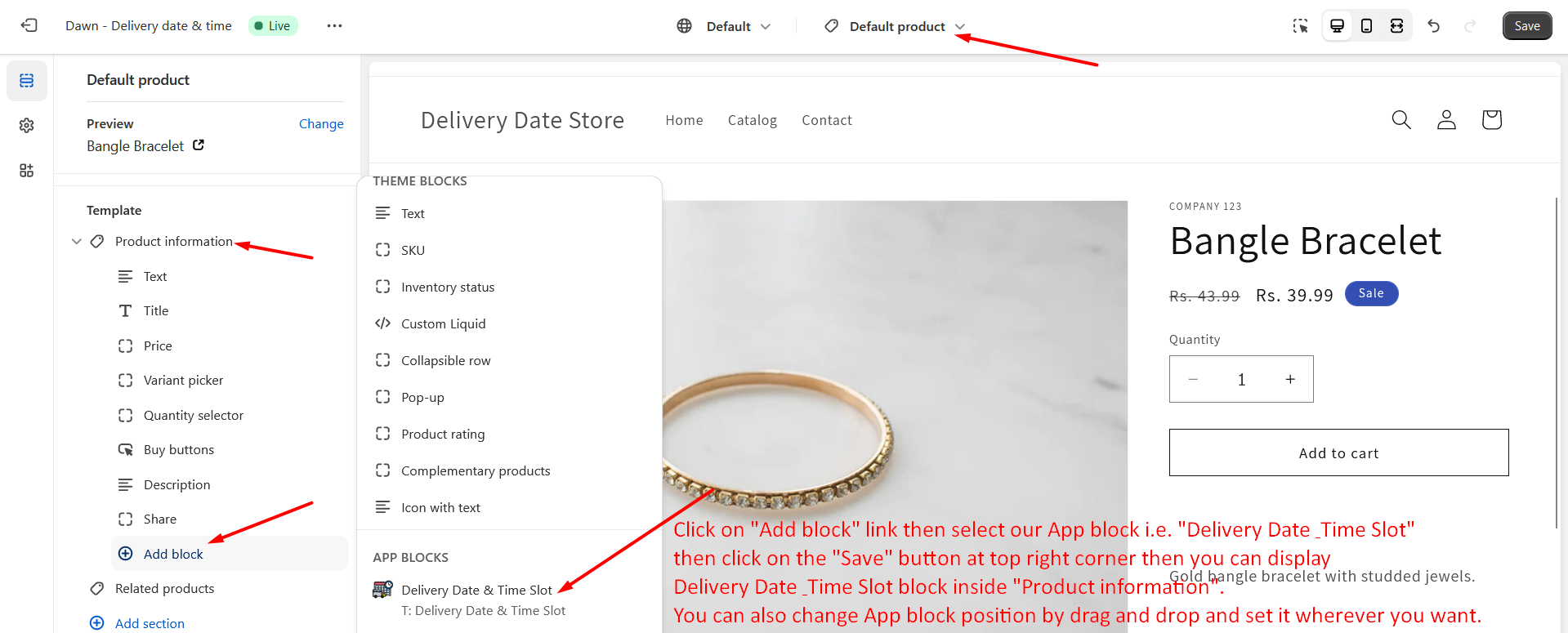
- Now, you can see product details page contents in your theme customizer and you can add our App as an app block to your theme.
Frontend View
Product Page
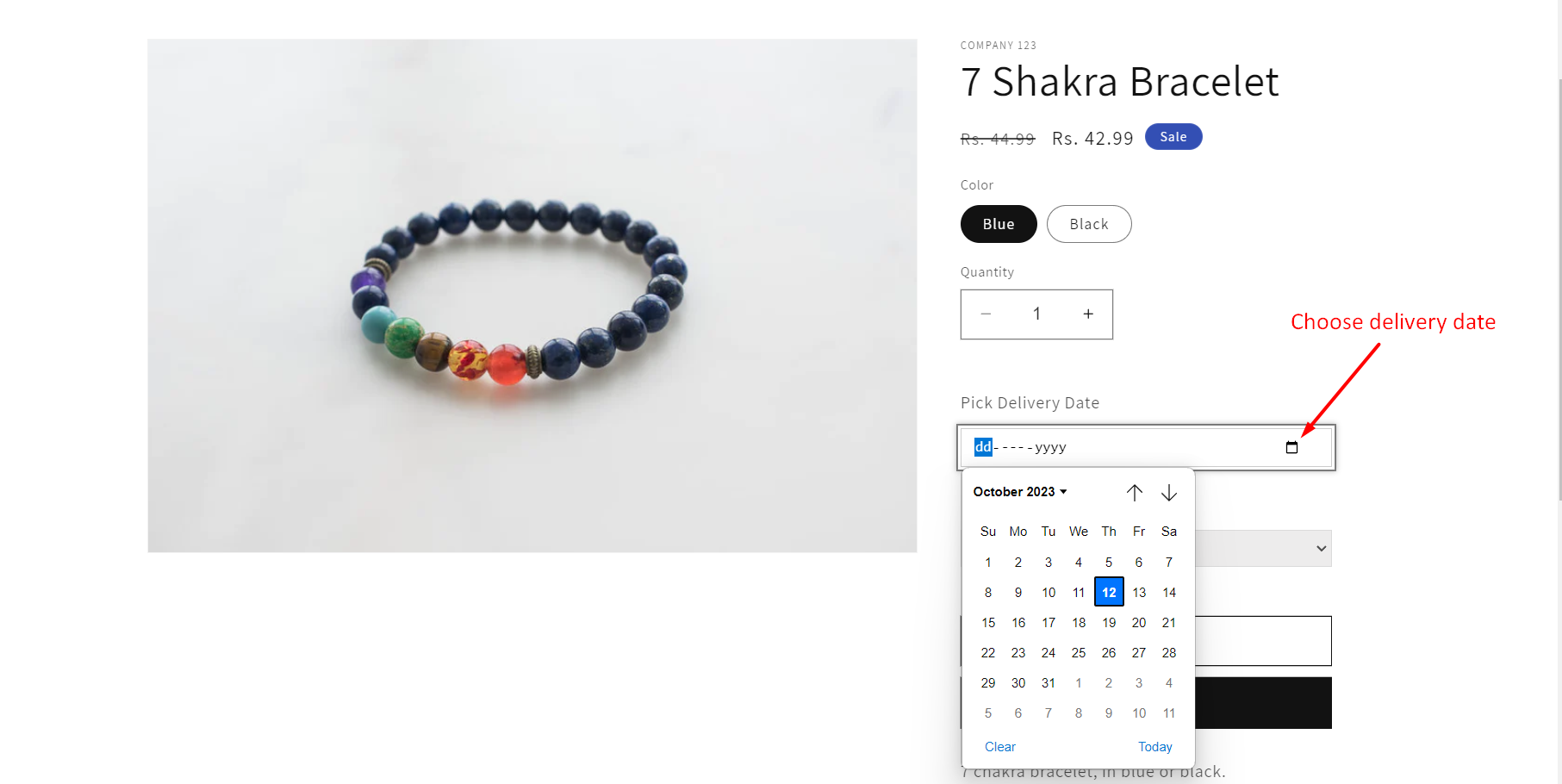
You can choose delivery date from the information section on the product details page.
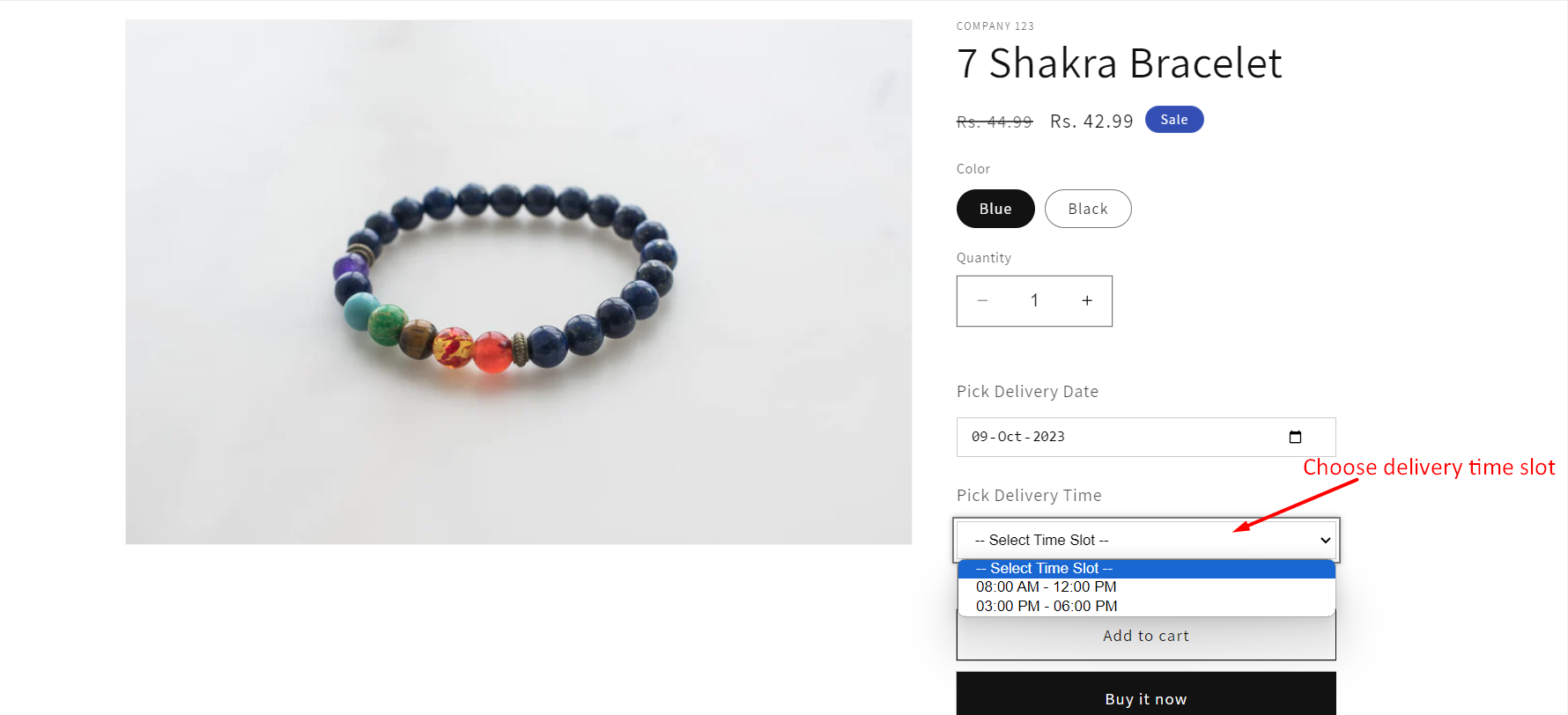
You can choose delivery time slot from the information section on the product details page.
Cart Page
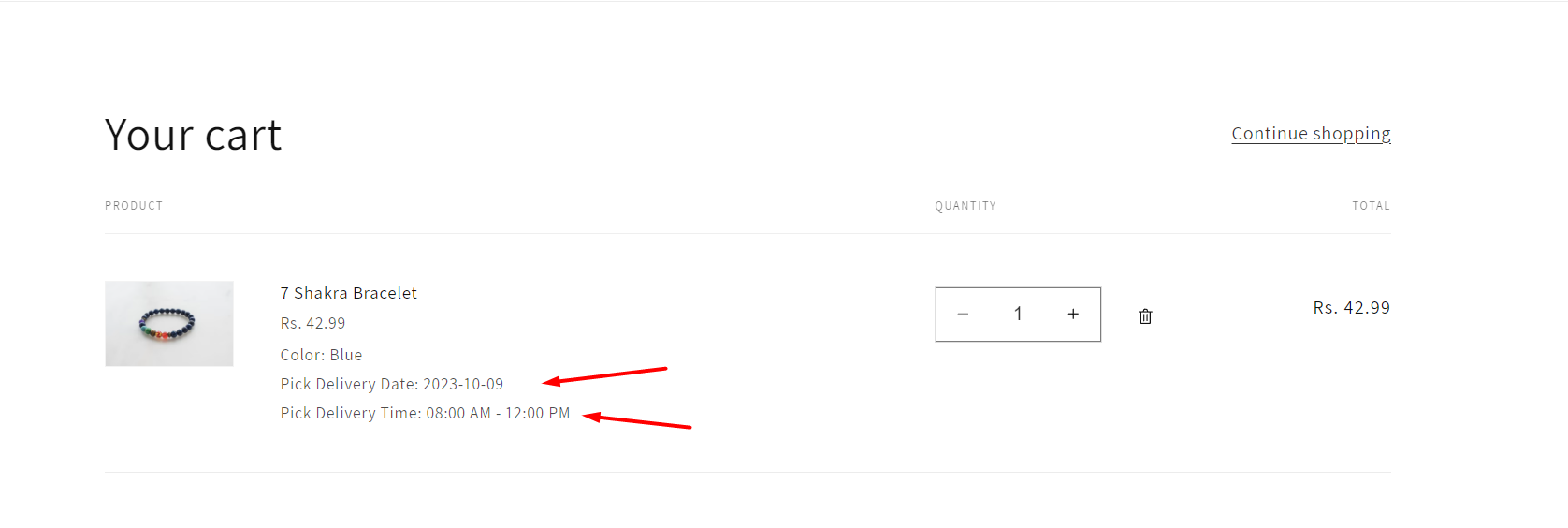
You can see selected date and time information in the cart page.
Checkout Page
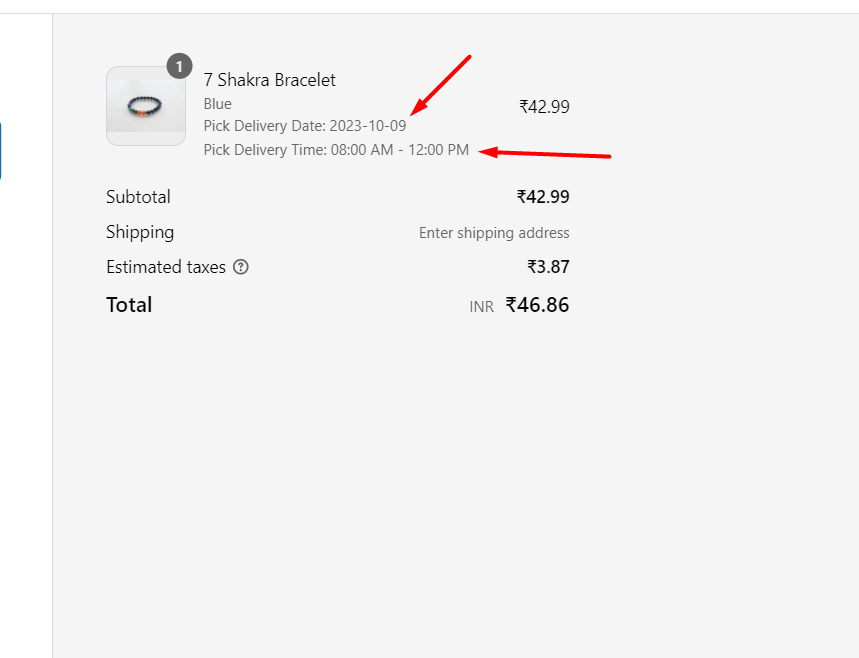
You can see selected date and time information in the checkout page.
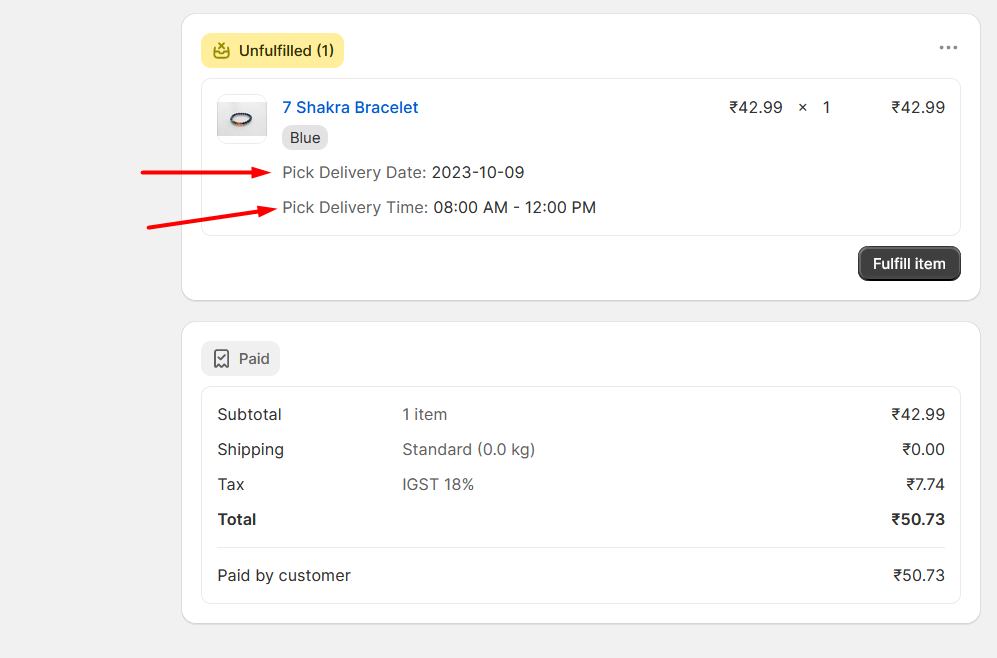
Admin Order Page
Admin can see selected date and time information in the order page.
General Configuration
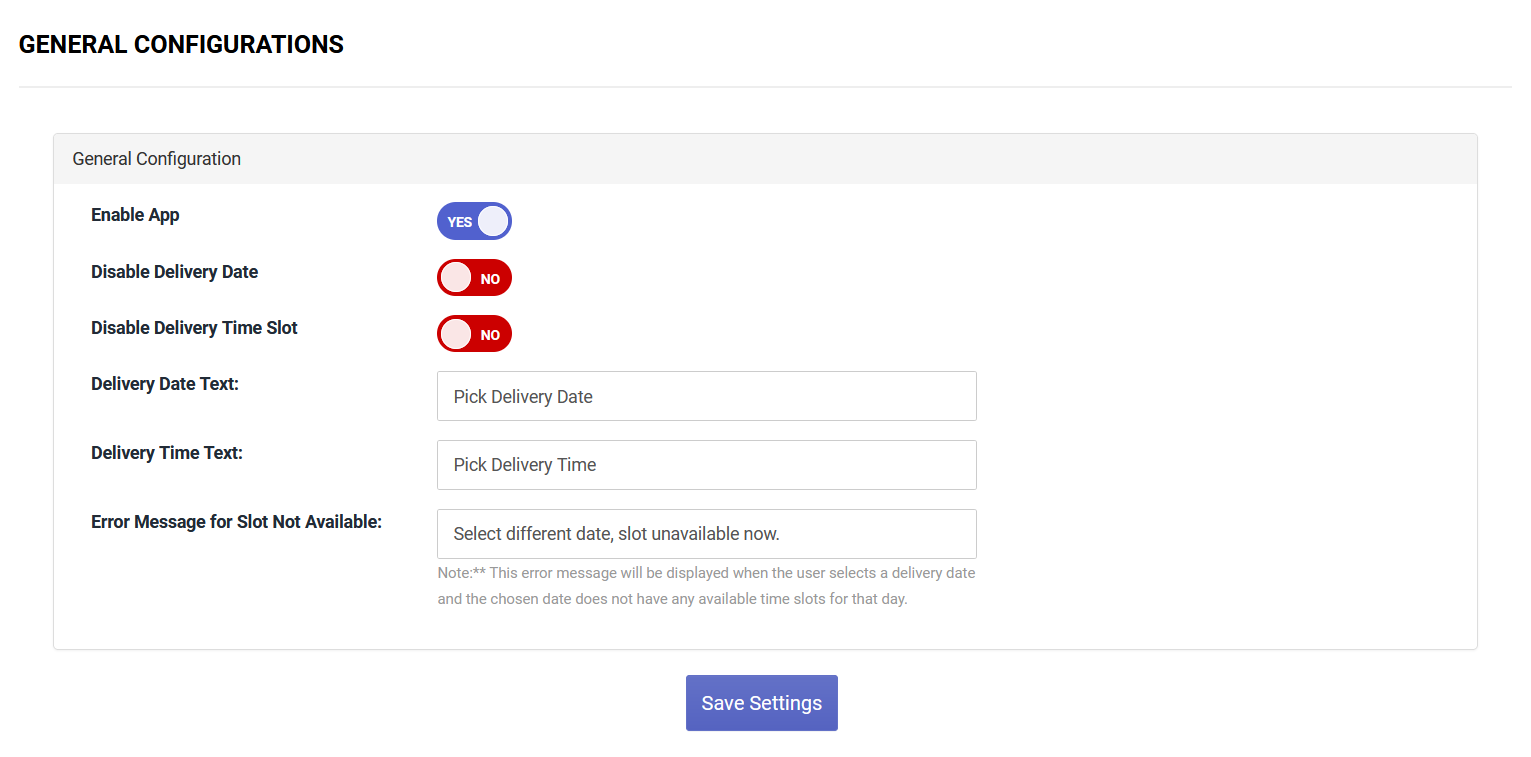
- Enable App: You can enable/disable app by clicking toggle button.
- Disable Delivery Date: You can enable/disable delivery date by clicking toggle button (if you disable it then it will not display in frontend).
- Disable Delivery Time Slot: You can enable/disable delivery time slot by clicking toggle button (if you disable it then it will not display in frontend).
- Delivery Date Text: You can set delivery date label text.
- Delivery Time Text: You can set delivery time slot label text.
- Error Message for Slot Not Available: This error message will be displayed when the user selects a delivery date and the chosen date does not have any available time slots for that day.
Manage Time Slot
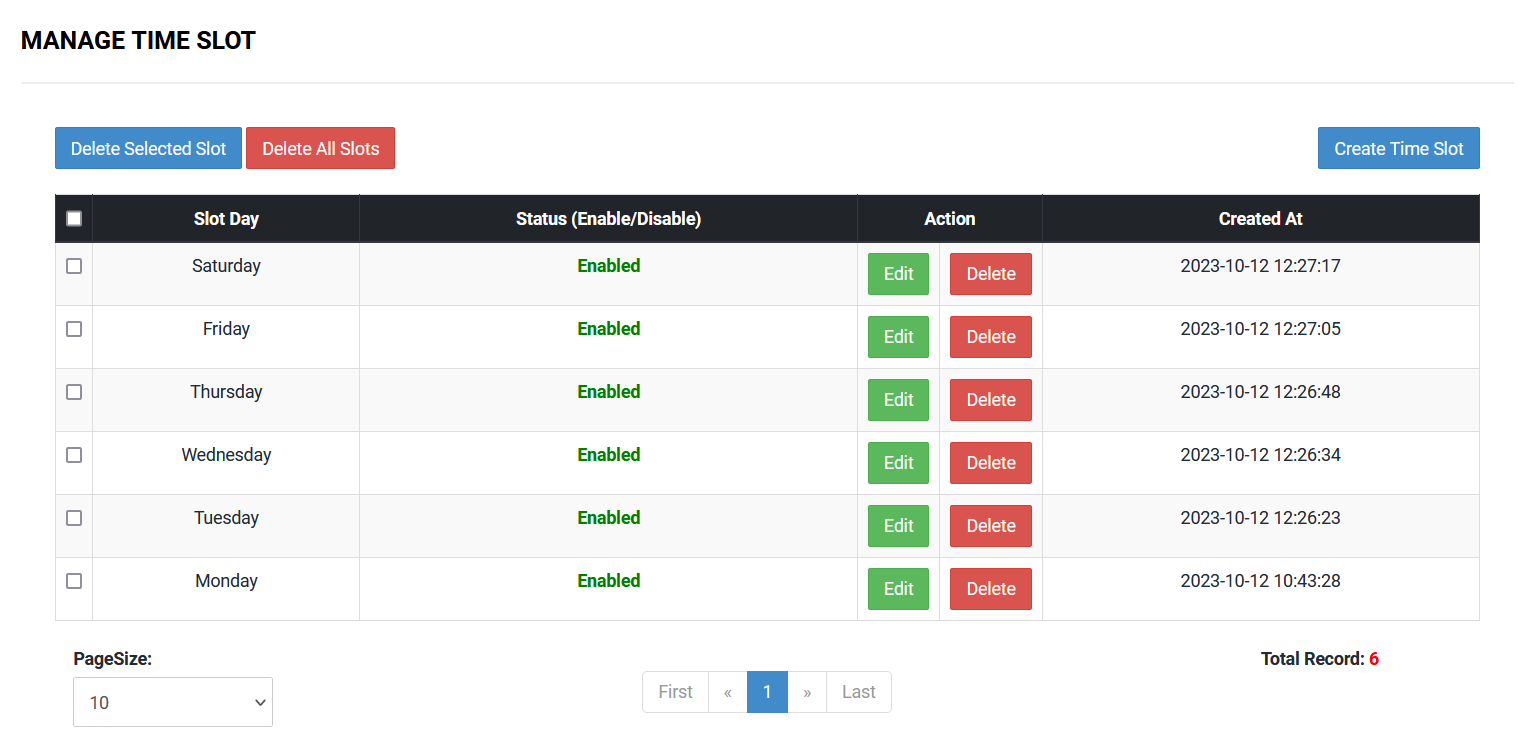
You have the ability to delete single or multiple slots by clicking the "Delete/Delete Selected Slot" button and you can delete all slots by clicking "Delete All Slots" button. You can edit time slot by clicking "Edit" button.
Create Time Slot
You can create time slot by clicking "Create Time Slot" button.
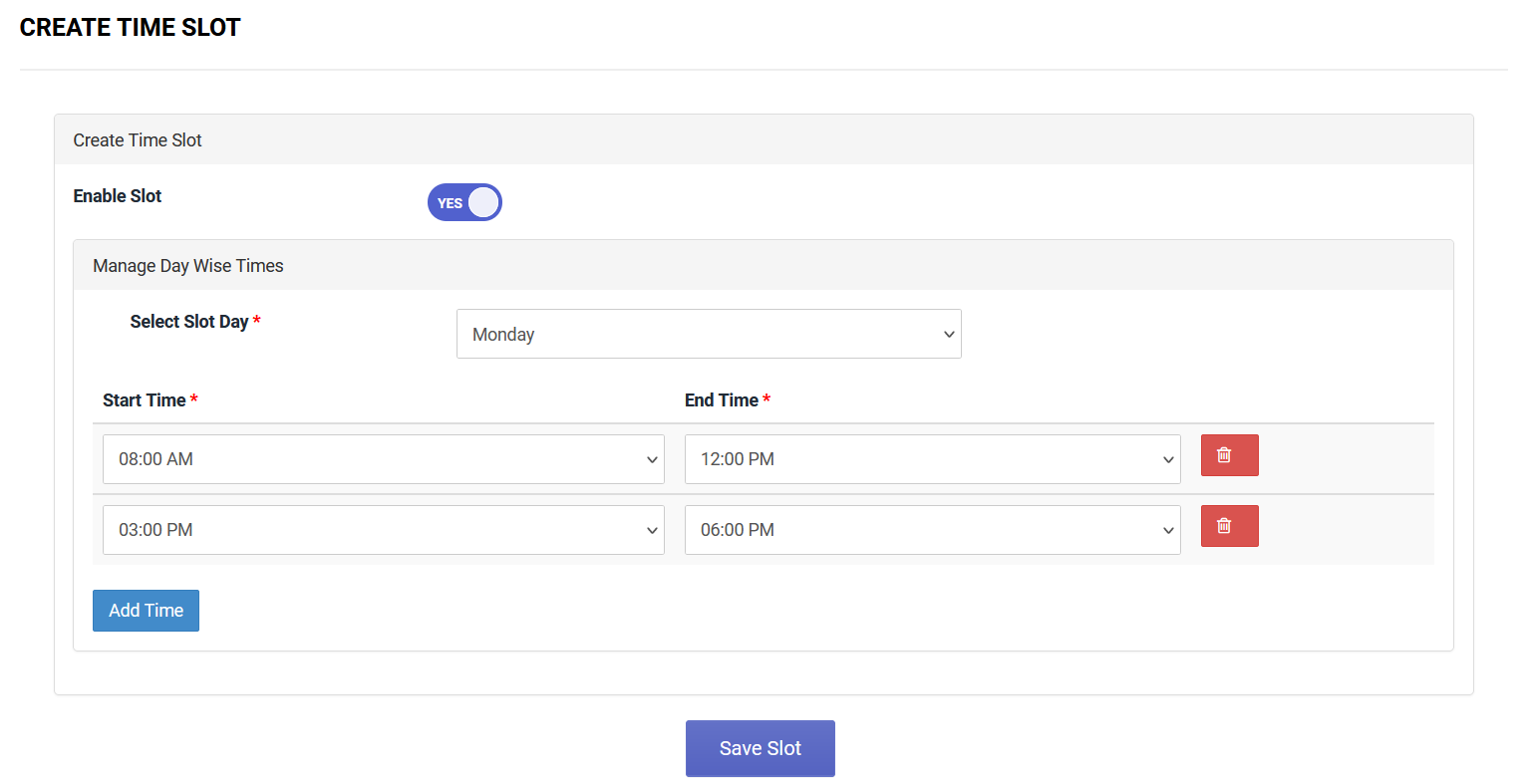
- Enable Slot: You can enable/disable slot by clicking toggle button.
- Select Slot Day: Select a day to create a time slot specifically for that chosen day (Once you select a day then time slot configuration will display).
You can set Start Time and End Time from the dropdown and you can add more time by clicking "Add Time" button and you can delete time by clicking the delete icon. After setting all details click on "Save Slot" button to save the time slot for the specific day.
Design Customizations
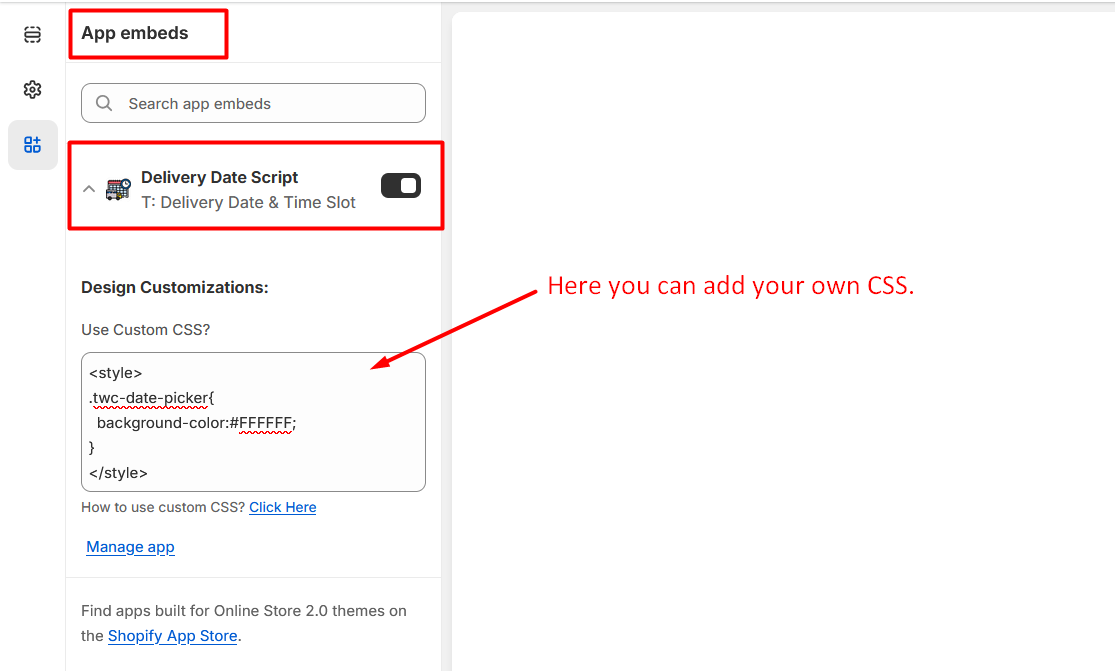
Go to Online Stores >> Live theme >> Theme Customize >> App embeds section then please open our App embed block i.e. Delivery Date Script. Then you'll see the Design Customizations section.
Here, you can enter your own CSS wrapped in a style type tag.
Frequently Asked Questions
Find quick answers to common questions about the T: Delivery Date & Time Slot App.
You must enable the "Delivery Date Script" App embed in your Theme Customize settings. Additionally, you must add the "Delivery Date & Time Slot" App Block to a section (like the Product Information section) in your product template.
The app costs $1.00 USD per month. We also offer a 3-day free trial.
Yes, you can toggle "Disable Delivery Time Slot" in the General Configuration section of the app admin, which will hide it from the frontend.
The selected delivery date and time will be visible to the customer on the Cart Page and Checkout Page. Once the order is placed, you will see this information on the Admin Order Page.
Privacy Policy
What kinds of information are collected by our App?
By granting the following App permissions upon installation, we can automatically access certain types of information:
- Read Themes: Upon installation of the app, it will automatically read app files in your online store's published theme.
- Merchant Details: We are storing Merchant information in accordance with Shopify's requirements, which enables us to determine if the merchant has previously used our App.
What is our use of your personal information?
We only use the personal information collected from you for the purpose of delivering the service and running the App.
Contact Us
We are always here to help you. If you have any questions, face any issues, or need further assistance, please don't hesitate to reach out.
- Email: info@techwebcreation.com
- Website: techwebcreation.com